


A laptop will let you work from anywhere, which in practice means the kitchen table, the couch, a café and back again. It’s freedom with a side of sore wrists, a hot keyboard and a screen the person next to you can read. Follow one ordinary workday and you’ll find a fix waiting at nearly every hour.
Worky Desk Station
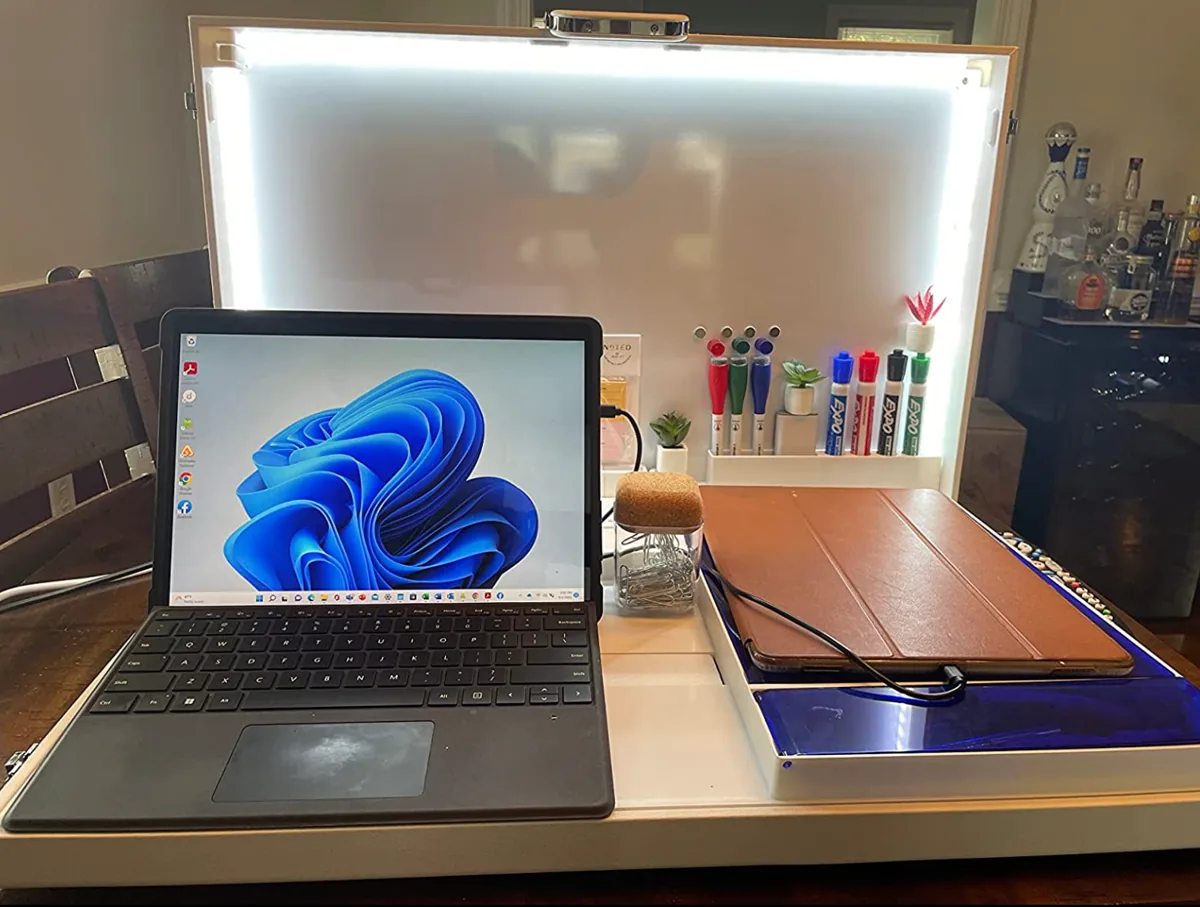
8:30 a.m. No home office? This suitcase-style station turns any table into one. Unfold it and you get space for the laptop, compartments for paperwork and supplies, built-in USB ports for charging, and a lid that works as a whiteboard lined with LED lights, so you look well lit on video calls even in a dim room.
The best part comes at the end of the day. One owner put it this way: she closes it up and work disappears. Three months in, she said the compartments, outlets and lighting had all earned their keep. Worky is a small business focused on remote-work gear.
Best for: people who work from the dining table and want it back by dinner.
Cooling Laptop Stand

10:00 a.m. A few heavy tabs later, the laptop is warm enough to notice. This stand uses thermoelectric cooling to pull heat away from the underside, and it raises the screen at the same time. Height and angle both adjust, and the base rotates a full 360 degrees.
An owner described it as heavier than it looks, which keeps it steady even when swiveling, with plenty of non-slip grips. The removable fan isn’t loud but needs to stay plugged in through USB-C while in use. She also pairs it with a walking pad under a regular table, a handy trick for anyone without a standing desk.
Grifiti Slim Palm Pads
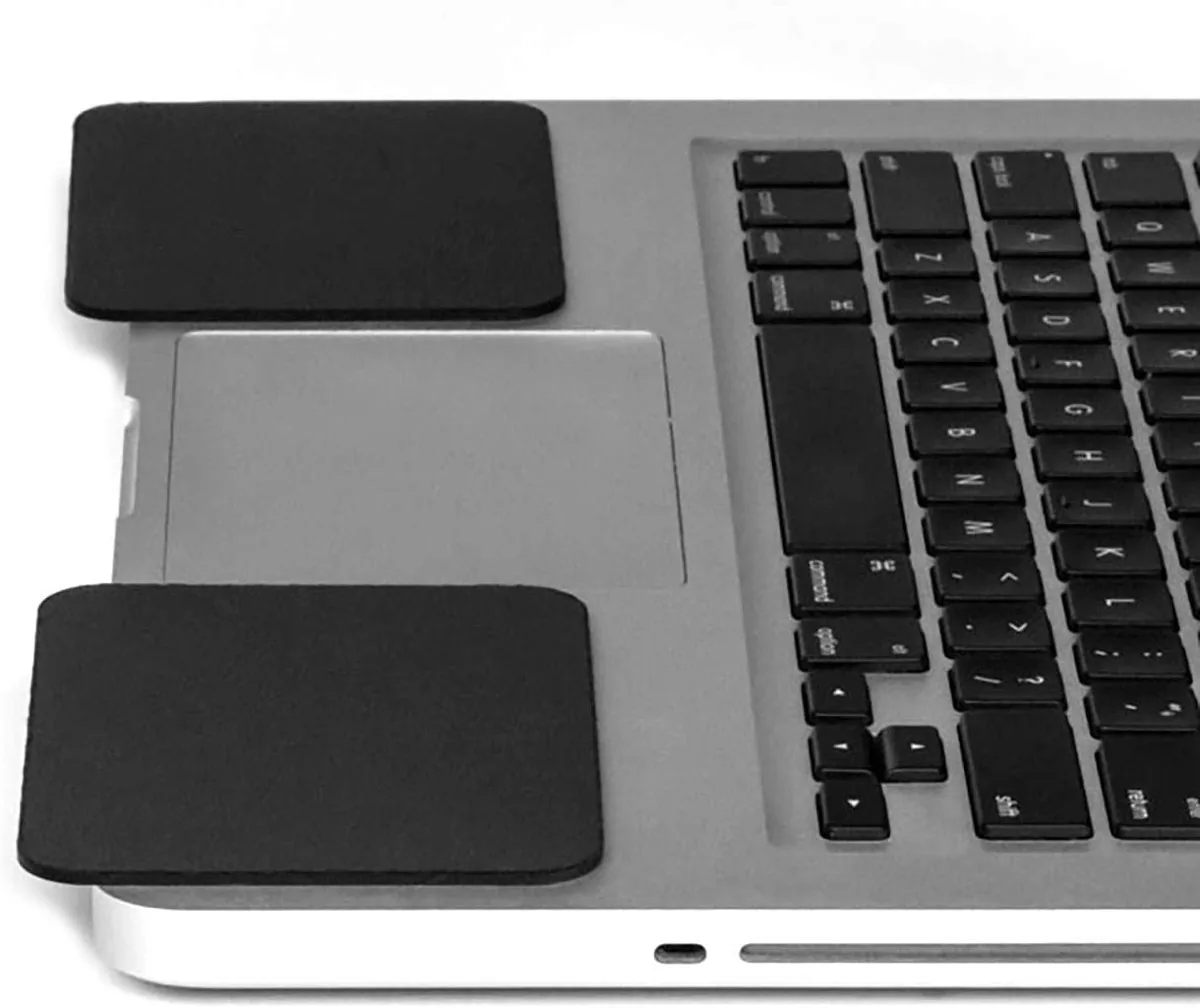
Noon. By the third long email of the day, the sharp edge of the laptop is digging into your wrists. These thin cushioned pads stick on either side of the trackpad with tacky silicone, so they can be repositioned, and they soften that hard edge where your palms rest.
One writer admitted that resting wrists on the laptop probably isn’t textbook ergonomics, but said the pads made long typing sessions noticeably more comfortable. They come in two sizes.
SightPro Laptop Privacy Screen

2:00 p.m. Afternoon at a café, or a meeting with someone sitting close. A privacy filter keeps your screen readable head-on while making it impossible to read from the sides. It also cuts glare and filters blue light.
The proof came for one buyer during a meeting, when the person next to her asked what she had done to her screen, because they couldn’t see a thing. From her seat, she hadn’t noticed any change. It’s sold in many sizes, so check your screen measurement before ordering.
Good to know: this version isn’t magnetic.
USB Mouse Jiggler
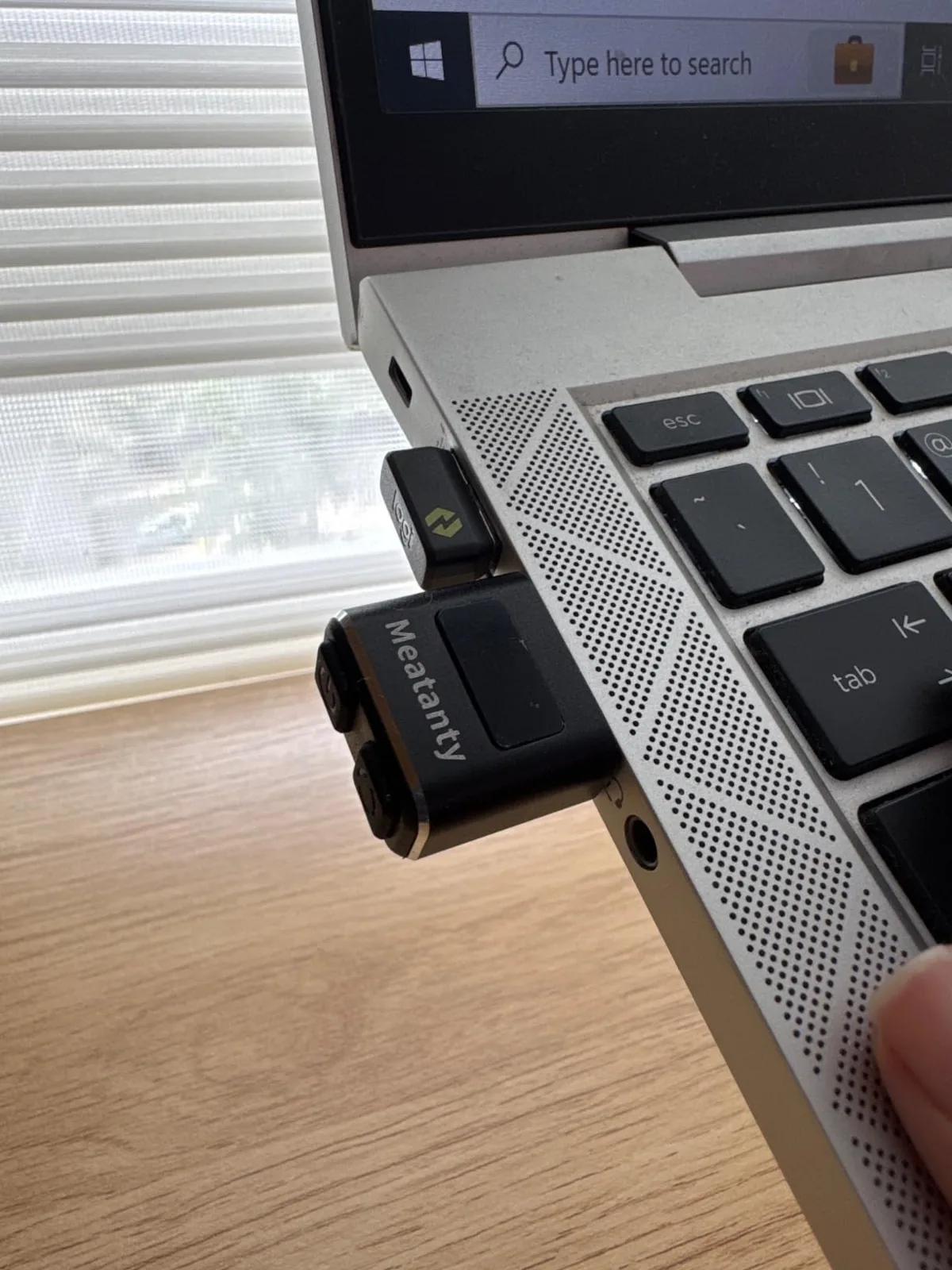
3:30 p.m. You step away for a late lunch and come back to a sleeping computer, logged-out apps and windows shuffled across your monitors. This tiny USB plug keeps the cursor moving slightly so the computer stays awake while you’re gone.
It offers three movement modes. One remote worker with a multi-monitor setup uses the smallest one and finds everything exactly where he left it. His only tip: remember to switch it on before walking away.
OXO Sweep & Swipe Laptop Cleaner

6:00 p.m. Time to deal with the crumbs from that desk lunch. One end of this pocket-size tool has a retractable brush for sweeping dust and debris out of the keyboard. The other end has a microfiber pad for wiping fingerprints and smudges off the screen. A self-confessed keyboard snacker said it gets everything out in a minute or two, and she’s been buying extras as gifts.
None of these will shorten your to-do list. They’ll just make the hours you spend on it a little cooler, quieter and kinder to your wrists.
